EUData centers across Europe

Managed Kubernetes, hosted in the EU.

We run Kubernetes clusters for you, and make them as simple as we can: you deploy, we take care of the rest. Your data stays inside the EU, under Swedish and EU jurisdiction.

Upstream Kubernetes · Ready in a few clicks · Lean by design, less to attack

100%

run inside the EU

€26.71

a month for a complete cluster

Upstream

Kubernetes, nothing proprietary on top

99.95%

uptime SLA with high availability

The control plane

A control plane that stays out of the way

The control plane takes care of provisioning, scaling, upgrades and access. Underneath is a conformant Kubernetes API, and on top a UI the whole team can use.

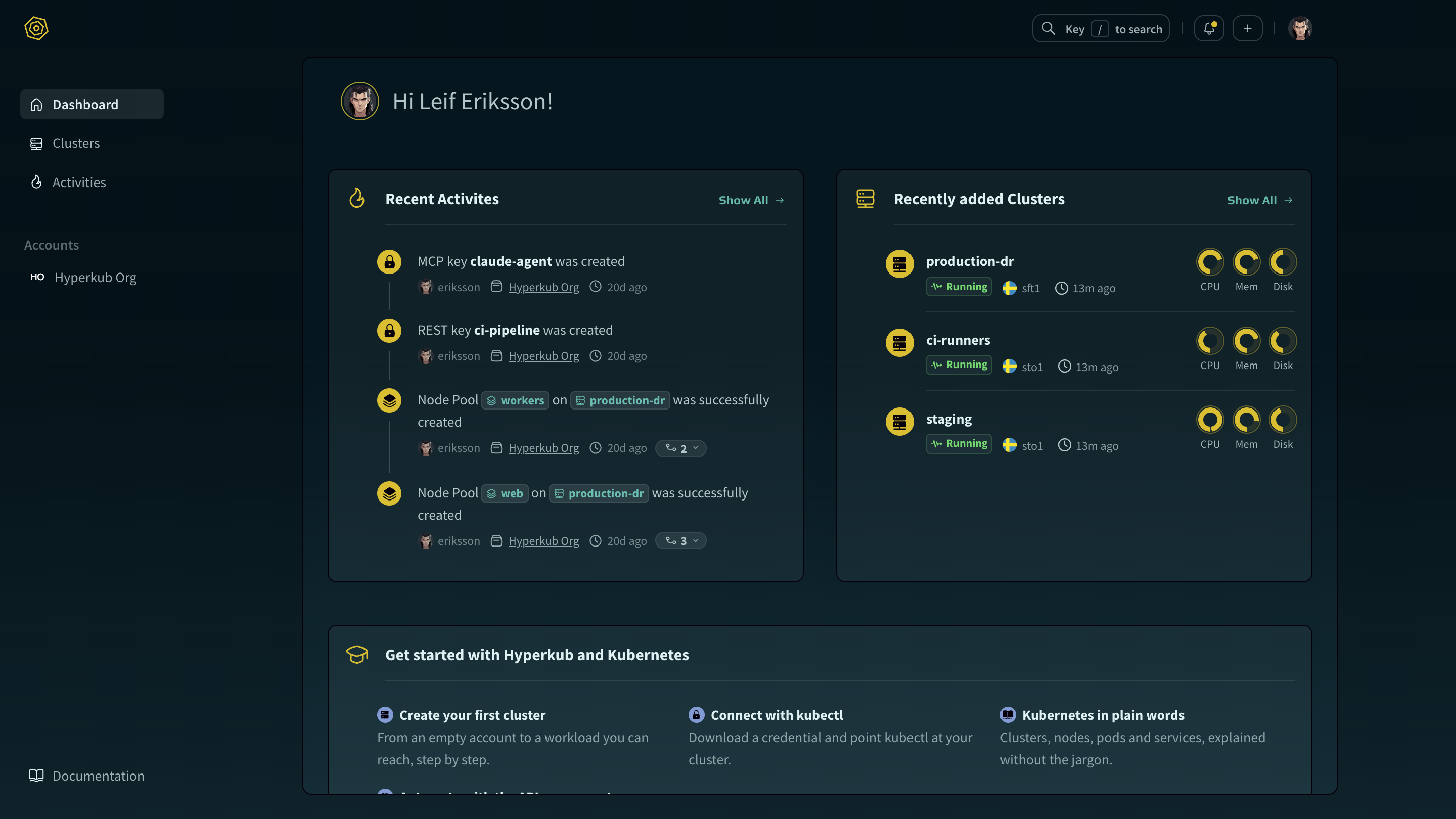
The Hyperkub control plane dashboard, showing recent activity and recently added clusters.

01 · Create

A new cluster in six steps

Creating a cluster asks only for what matters, such as the region and the size of the nodes. The cluster answers requests as soon as it is up.

  • Choose the region your data stays in
  • The monthly cost, shown before you click Create
  • An optional Starter Kit that shows ingress working from the start
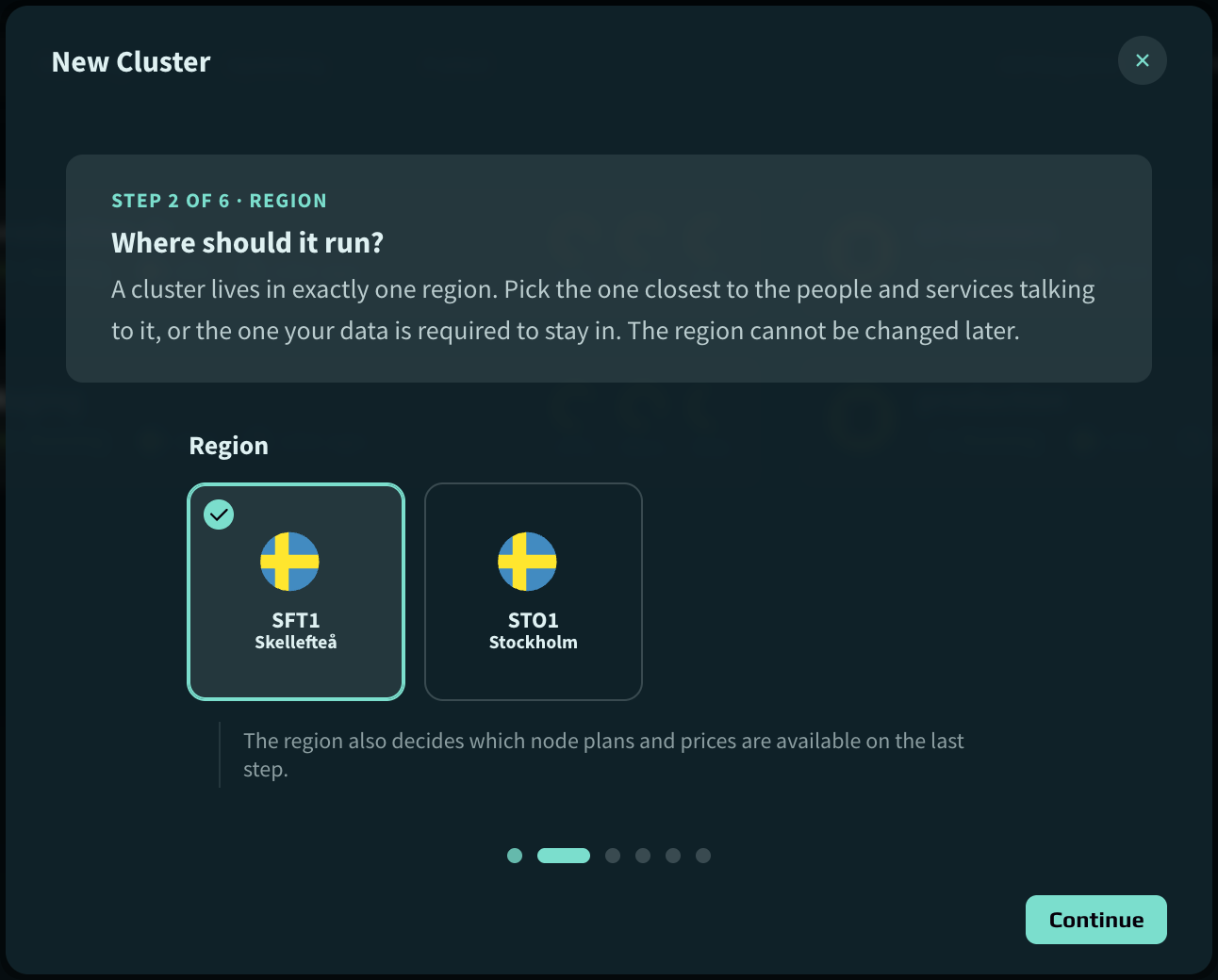
Step 2 of 6 in the New Cluster dialog: choosing between the SFT1 Skellefteå and STO1 Stockholm regions.

02 · Observe

Each cluster on one page

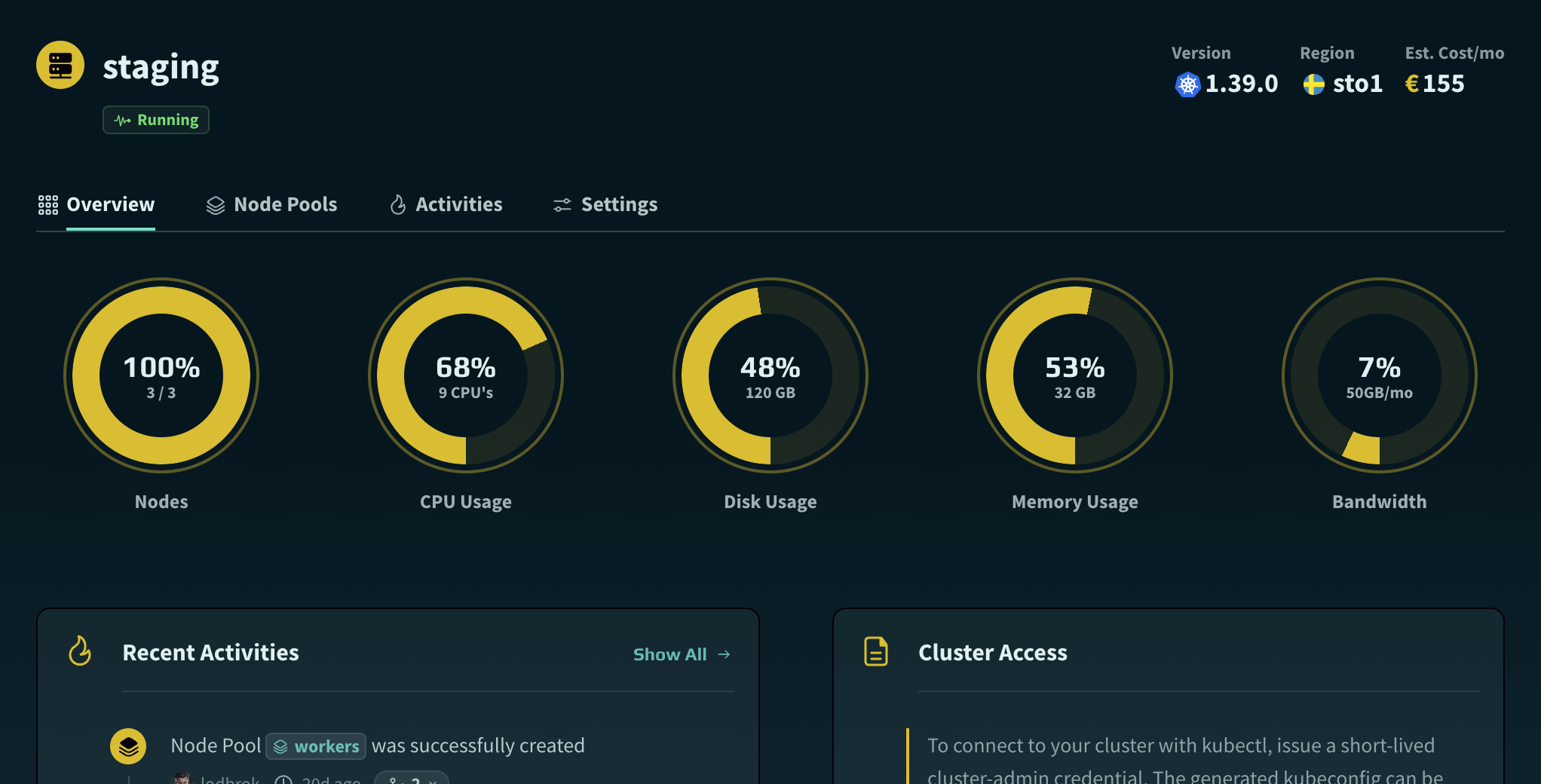
The overview shows a cluster's health, usage and cost together. Problems tend to show up there before your users notice them, and costs before the invoice does.

  • Estimated monthly cost on every cluster
  • Live CPU, memory, disk and bandwidth usage
  • Short-lived cluster-admin credentials on demand
The overview of the staging cluster: running Kubernetes 1.39.0 in sto1 at an estimated €155 a month, with usage meters for nodes, CPU, disk, memory and bandwidth, recent activity and cluster access.

03 · Scale

Node pools that are easy to follow

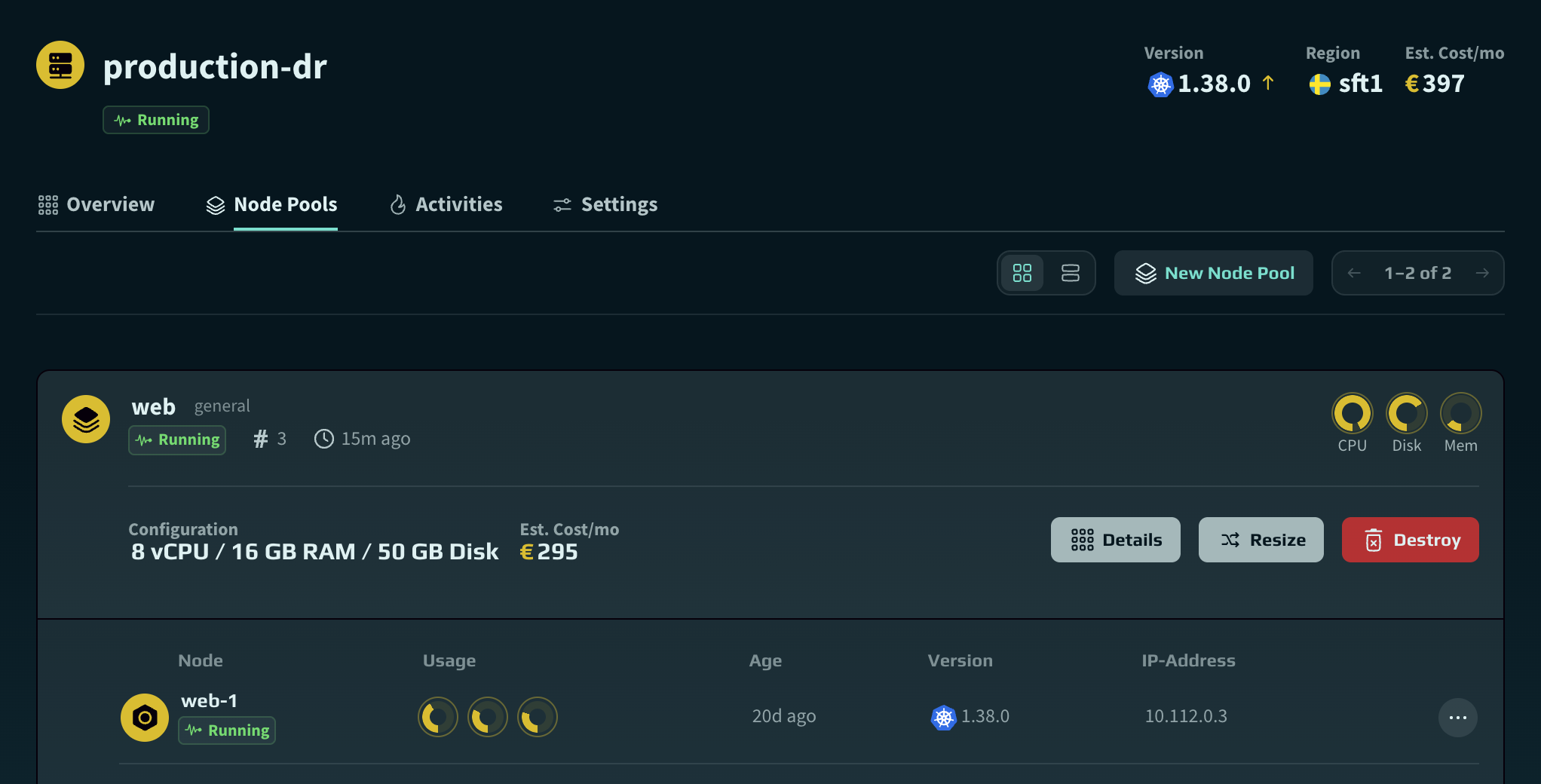
Add nodes when traffic grows and remove them when it drops. You see what a pool will cost before you change it.

  • Monthly cost shown up front
  • Resize from the UI or the API
  • Per-node usage, version and IP address
The node pools of the production-dr cluster: the web pool runs three 8 vCPU / 16 GB / 50 GB disk nodes at an estimated €295 a month, with the first node listed.

04 · Operate

Every change, on the record

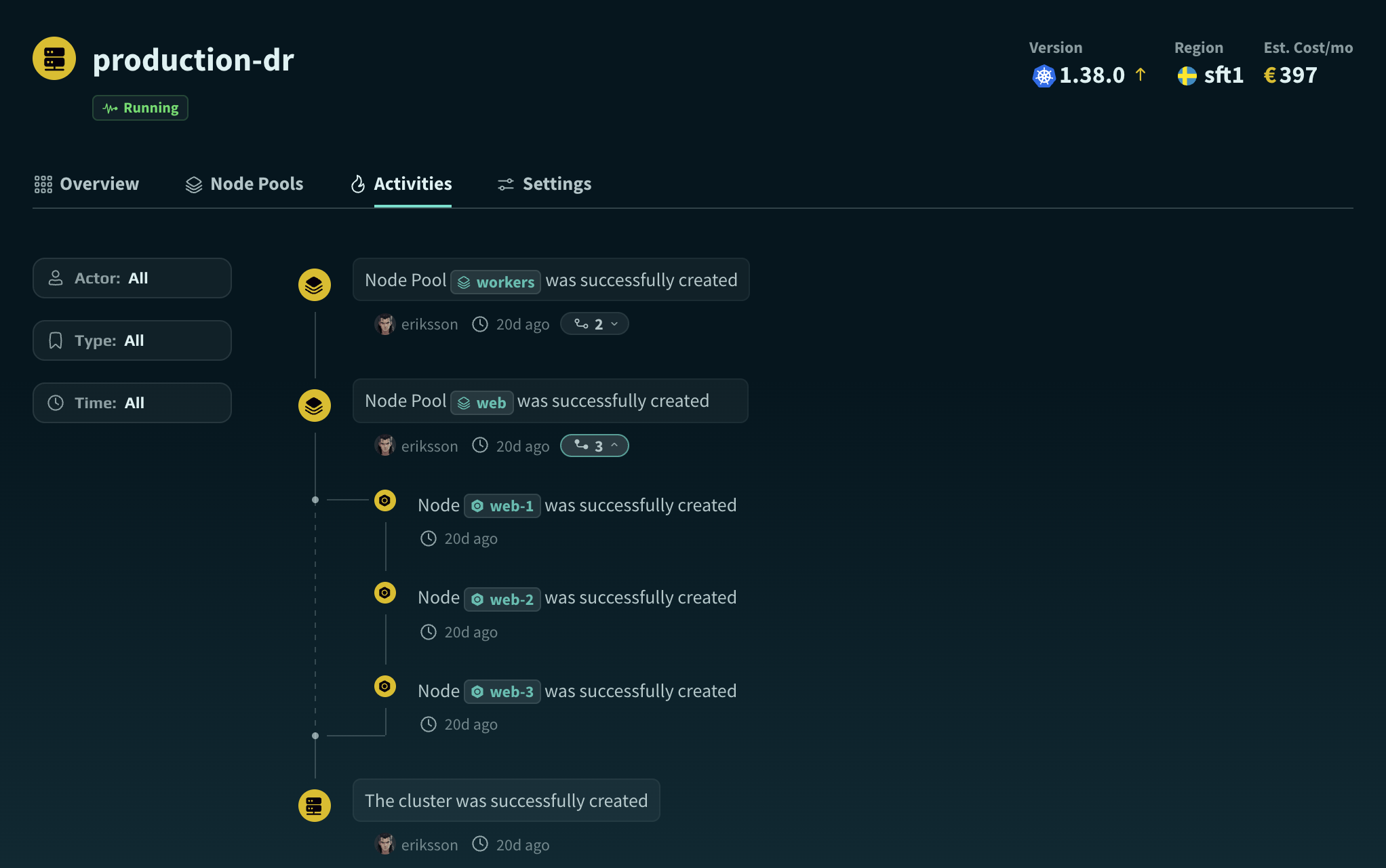
Every change to a cluster is recorded with who made it and when, step by step. It helps with audits and post-mortems, and when someone new takes over.

  • Kubernetes upgrades from the UI
  • Activity trail per cluster and per account
  • Every operation broken down into its steps
The activity log of the production-dr cluster, with filters for actor, type and time. The creation of the web node pool is expanded into its three steps, one for each node.

05 · Collaborate

For teams, with proper invoices

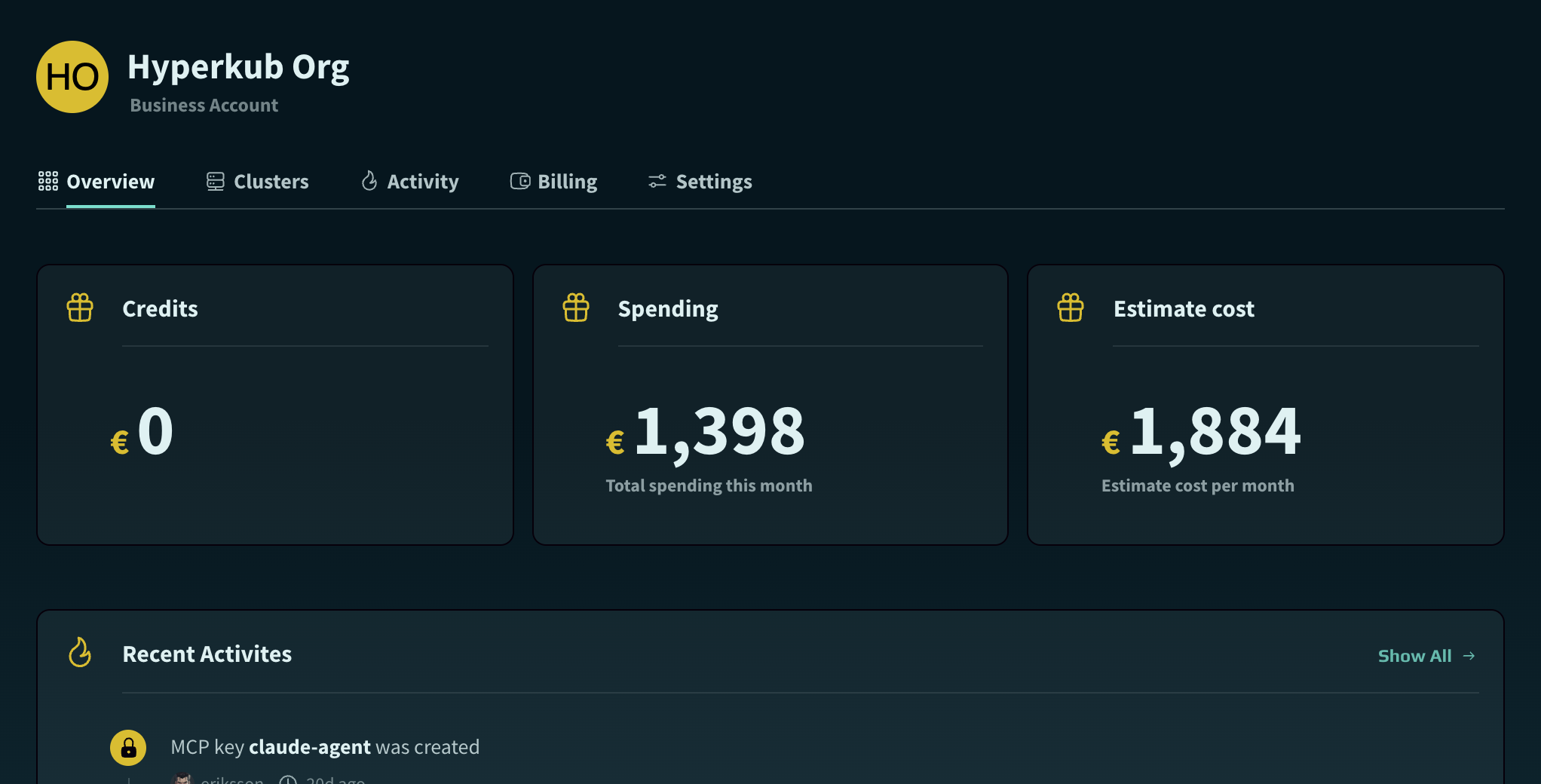
Clusters belong to an account, not to one person. Invite colleagues, hand over ownership when people move on, and let whoever approves the invoices see credits and spending.

  • Members and ownership transfer
  • Credits, spending and estimated cost on one page
  • EUR invoicing with VAT ID support
The overview of the Hyperkub Org business account: credits, spending this month, estimated monthly cost and recent activity.

06 · Automate

What you can do in the UI, you can script

The REST API covers the same ground as the UI. Create clusters, resize pools, add domains and issue kubeconfigs from your pipelines, with keys that can do what you allow and nothing else.

  • Read, write and delete permissions per resource
  • Keys limited to chosen clusters, with an expiry date
  • An OpenAPI description of every endpoint
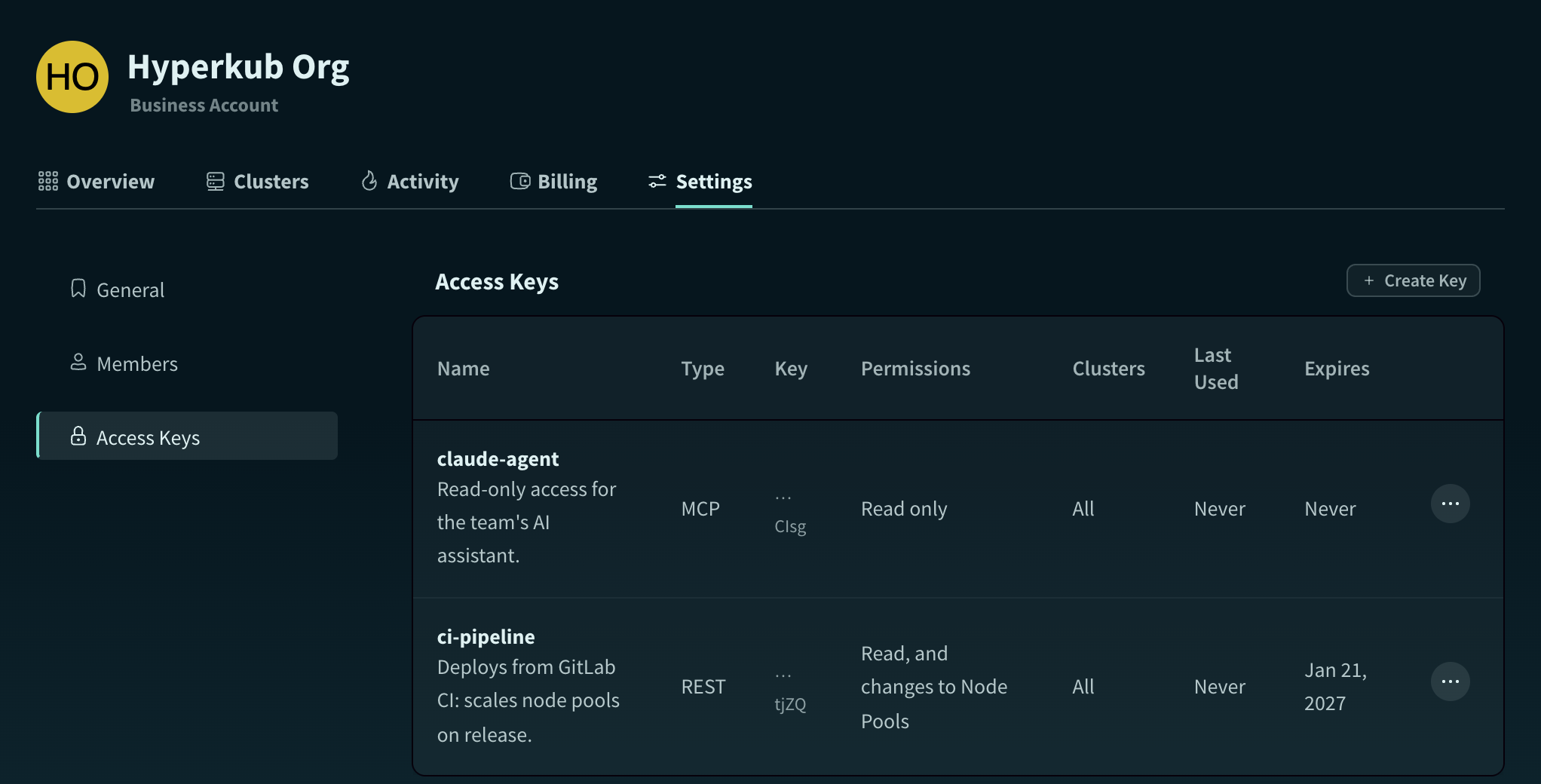
The access keys of the Hyperkub Org account: ci-pipeline, a REST key that reads and resizes node pools and expires on 19 January 2027, and claude-agent, a read-only MCP key.

07 · Delegate

Let an AI assistant help, within limits

Connect the assistant your team already uses and ask it which clusters are running or what changed this week, or have it scale the web pool to five nodes. It can only do what its key allows, and everything it does is logged under the key's name.

  • Works with any assistant or agent that speaks MCP
  • Read only from the start, write access where you add it
  • The account's owners and admins hear about every new key
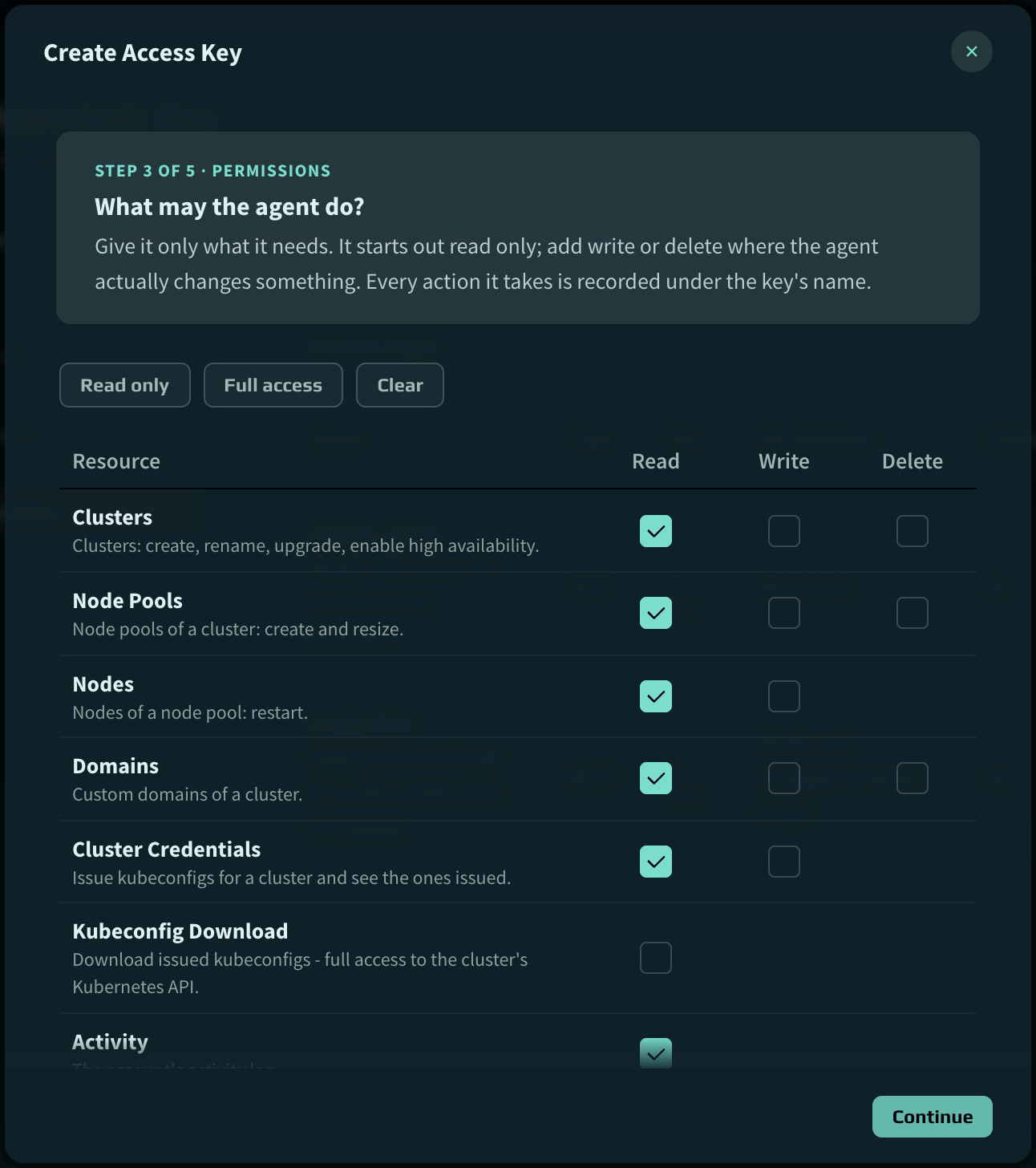
Step 3 of 5 in the Create Access Key dialog for an MCP key: read, write and delete permissions for clusters, node pools, nodes, domains, cluster credentials, kubeconfig download and activity, with read access ticked.

Data residency

Your workloads stay in the EU

We run Hyperkub from two data centers in Sweden, and the company has been Swedish-owned since 2017. Your clusters and the data on them stay inside the EU, under Swedish and EU jurisdiction, with no US parent company in the chain. More EU locations will follow.

Stockholm
sto1

59.33° N · 18.07° E

Low latency to the Nordics and the rest of Europe, close to the region's biggest internet exchanges.
Skellefteå
sft1

64.75° N · 20.95° E

A second, geographically separate site in northern Sweden for workloads that need distance from Stockholm.
Live regions in Skellefteå and Stockholm, with planned locations across the EU. FIEEDKNLDEPLATFRITESPTsto1Stockholmsft1Skellefteå
Live · SwedenPlanned · EU

Features

What every cluster comes with

All features

High availability control plane

Switch a running cluster from one control plane node to three, with automatic failover and a 99.95% uptime SLA, for €40/month per cluster.

Upgrades from the UI

Move to a newer Kubernetes version from the UI. We support the three latest minor releases.

Load balancer included

A public endpoint with HTTPS on every cluster. Add your domain, point a CNAME at it, done.

Plain kubectl

It's upstream Kubernetes. Use your existing manifests, Helm charts, GitOps tooling and CI.

Start with one small cluster

Create one in the EU, and run kubectl apply a few minutes later.

Opening soon

We are not open yet

Hyperkub is not taking new customers yet, but we open soon. Until then, you are welcome to write to us at hello@hyperkub.com.